My OldBoy! - GBC Emulator
- 4.1
- Rating
- 500.00K
- Installs
- $3.99
- Price

 Analysis by App-foxy
I spent time with My OldBoy! as a compact way to play Game Boy and Game Boy Color software on Android, and my first impression was that it is aimed at people who want a focused emulator rather than a modern game with its own progression system. It is an arcade-category game from Pixel Respawn LLC, released on March 3, 2014, and its central appeal is straightforward: bring classic handheld games to a phone while adding link cable emulation and the convenience expected from an emulator.
The purchase context matters here. This is a paid app listed at $3.99, with an Everyone content rating. It has passed the point where a small personal project feels untested: the app has over 500 thousand installs, an average rating of 4.1 from around 8.7 thousand ratings, and 968 written reviews. Those figures do not tell me whether every individual game will behave perfectly, but they do suggest that the app has found a substantial audience. I would still treat the price as payment for the emulator itself, not as a promise that games are included.
What using the emulator feels like day to day
The best way to understand this app is to imagine a small handheld library living on your phone. Instead of switching between a dedicated Game Boy, a Game Boy Color, and a collection of cartridges, I can use one interface for the software I already own or otherwise have the legal right to use. That makes it especially attractive for short sessions: a few minutes on public transport, a quiet break, or a longer evening when I want to return to an old adventure without setting up older hardware.
You May Also Like

 Blood Strike: 2.5 Anniversary
Blood Strike’s Loadouts Turn Every Drop Into a Tactical Gamble
A close look at Blood Strike’s custom loadouts: how fast access to signature weapons reshapes its battle royale rhythm, rewards preparation, and narrows the gap between fights.

 Pandora - Music & Podcasts
Pandora’s Music Is Easy to Start, but Harder to Recover
Pandora’s strength is its low-effort path from a seed to a station. Its weak spot is how much confidence it asks you to place in connection, setup, and quiet recovery.

 8 Ball Pool
 Is Built on Rivalries, Rematches, and Routine
A close look at the rivalries, rematches, shared routines, and unanswered safety questions that turn a quick pool match into a persistent mobile community.

 Samsung Music
’s Quiet Strength Is Playing What You Already Own
Its reach comes less from spectacle than from dependable access to a personal library. That simplicity is both the app’s strongest retention engine and its ceiling.

 AccuWeather: Weather Radar
AccuWeather Review: A Quick, Clear Forecast for Everyday Decisions
For everyday plans, the best forecast is the one you can understand quickly. AccuWeather makes rain timing, radar, and local conditions easy to act on, with a few trade-offs.

 Hill Climb Racing
Why Hill Climb Racing Still Turns Crashes Into One More Run
A tiny car, a bumpy hill and one more upgrade: Hill Climb Racing keeps resurfacing because its simple chaos makes every near-miss feel personal.
More From Our News Desk



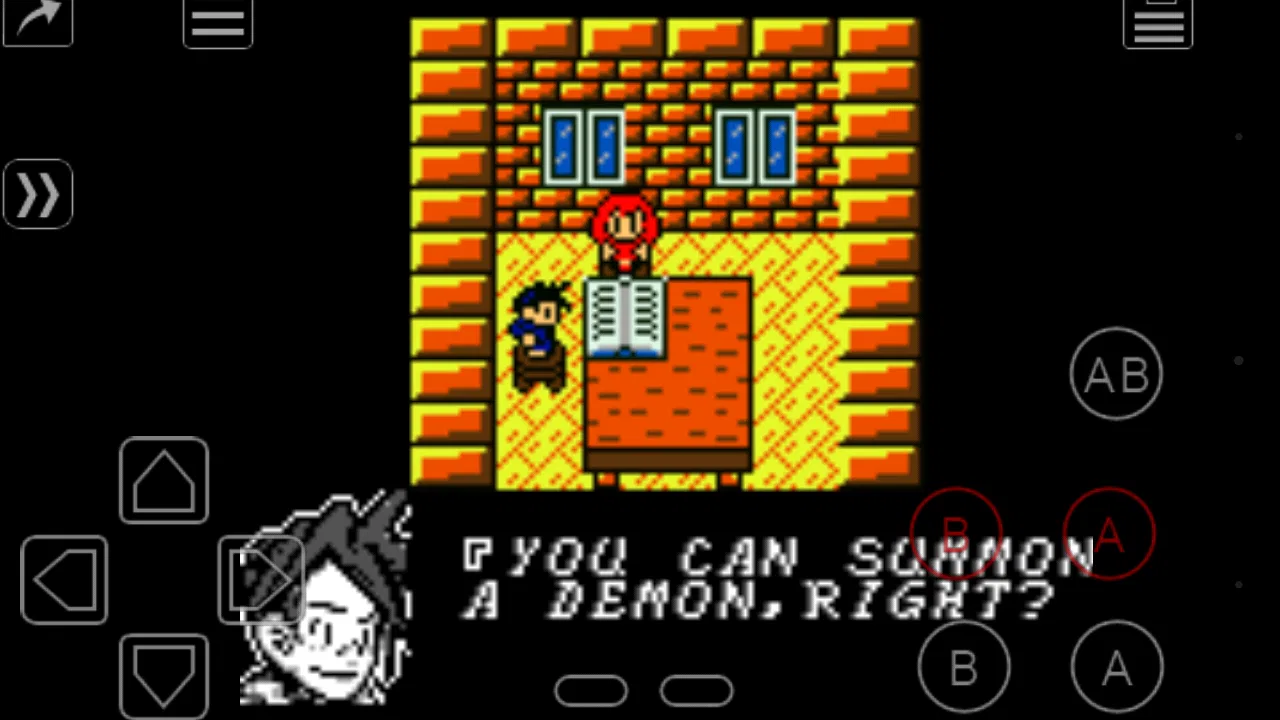
The experience is naturally different from playing on original hardware. The phone screen is usually larger and brighter, but the controls are displayed on glass rather than provided by physical buttons. That difference is easy to underestimate. Turn-based games, puzzle titles, menu-heavy adventures, and slower platformers are comfortable enough for me. Fast games that demand repeated directional changes can feel less forgiving, particularly when my thumbs cover part of the display or when I need to press several controls in quick succession.
That is where a physical controller can change the character of the app. If I already have a compatible controller, the emulator becomes much more convincing as a replacement for a classic handheld. Without one, I see it more as a convenient travel option than a perfect recreation. The touch layout is useful, but it cannot fully reproduce the tactile separation between a directional pad and face buttons.
The link cable emulation is the feature that gives this release a stronger identity than a basic single-player emulator. It is relevant to people who remember trading, battling, or otherwise connecting compatible handheld games. I would not buy the app solely because the phrase sounds impressive, though. The value depends on whether the particular game and the devices involved fit the connection workflow you want to use. When it works for your setup, it can make old multiplayer routines feel possible again; when it does not, the rest of the emulator still has to justify the purchase.
Where it fits better than ordinary alternatives
Compared with playing on original hardware, My OldBoy! is easier to carry and avoids relying on aging screens, batteries, cartridge contacts, or a separate collection of devices. That convenience is its clearest everyday advantage. Compared with a free emulator, the paid price can be easier to accept if I value a cleaner, more focused experience and want to support a dedicated product rather than constantly searching for another tool.
There is also a practical difference between a general retro-gaming setup and a Game Boy-focused emulator. A broad multi-system app may be better for someone who wants one program for many consoles. My OldBoy!, by contrast, makes more sense when the library I care about is specifically from the original Game Boy and Game Boy Color era. I do not have to navigate a huge collection of unrelated systems just to reach the handheld games I want.
That focus is also a limitation. If my goal is to emulate several generations of consoles, use one interface for arcade machines and home systems, or build a large all-in-one retro setup, another emulator may be a better fit. Paying for a specialized app is sensible only when its supported family of games matches my interests.
How progress changes when the hardware is virtual
Classic handheld games often depend on repetition, careful exploration, and remembering where I was the last time I played. On a phone, the main pressure is not an energy system, a battle pass, or a store-driven progression loop. The pressure comes from the original game design and from the controls. A missed jump or an accidental touch can feel more frustrating than it would on a physical handheld, especially during a long session.
I found that short, deliberate sessions suit the format better than trying to play everything for hours at once. Before starting a difficult section, I prefer to make sure my phone is stable, the screen is clean, and my hands are positioned comfortably. If I am using touch controls, I avoid covering the center of the display and pay attention to whether the game needs rapid diagonal movement. These small habits reduce mistakes that might otherwise be blamed on the emulator itself.
For longer games, I would also establish a simple routine around saving. I do not rely on one single save state or one single in-game save. I keep the normal game save as the main record of progress and treat any emulator-assisted shortcut as a convenience rather than the only backup. That approach is useful because it protects me from making a careless overwrite or from depending on a temporary state that I may not want later.
This is one of the less obvious trade-offs of emulation: convenience can make me less disciplined. When saving feels effortless, I may create several near-identical states and later forget which one is the meaningful checkpoint. My practical advice is to use clear, memorable moments for saves instead of recording every few seconds. The app becomes easier to manage when I use its flexibility with some restraint.
Link cable play and the question of fairness
Link cable emulation is exciting because it addresses one of the most distinctive parts of the Game Boy experience. It can make a phone-based setup feel less isolated, especially for games designed around exchanges or head-to-head play. I would plan the session before inviting someone else, however. Both players need compatible devices and a suitable game setup, and the connection process is more involved than handing a cartridge to a friend and attaching a physical cable.
For competitive play, fairness depends on the rules we agree to use. An emulator can be a neutral way to reproduce an old match, but the phone environment may provide conveniences that were not available on original hardware. Touch controls, external controllers, save management, and the ability to repeat a situation can all affect how a match feels. If the goal is casual nostalgia, that flexibility is part of the fun. If the goal is a serious competition, I would establish beforehand whether assisted saves, repeated attempts, or different control methods are allowed.
That distinction is important because the app itself is not a competitive ranking platform. I would not expect it to settle disputes, enforce tournament rules, or make every setup identical. It supplies an emulation tool; the people playing still have to define what counts as a fair match. For friendly sessions, that is usually manageable. For organized competition, dedicated hardware or a carefully standardized setup may be preferable.
There is another fairness issue around the games themselves. An emulator does not automatically grant permission to use every game file found online. I see the responsible workflow as using software I own or have the legal right to use, then treating the emulator as the playback tool. That keeps the purchase decision clear: the $3.99 pays for the application, while the games remain a separate matter.
What I would check before paying
The most important question is whether I actually want a Game Boy and Game Boy Color emulator. The app is not the right purchase for someone who has no interest in that library or who expects a subscription-style catalog of games to appear after installation. The store summary describes the emulator, not a bundled game collection, so I would prepare my own legally obtained library first.
I would also think about controls before deciding. If I plan to play mostly turn-based adventures, puzzle games, or slower titles, touch controls may be enough. If I am buying it for demanding action games, I would be more cautious and consider whether I have a physical controller that makes the experience comfortable. The emulator can be capable while the phone itself remains an awkward controller.
Another practical question is how much I care about link cable play. If I never intend to connect with another player, that feature will not add much value to my personal use. If I specifically want to revisit multiplayer moments, it becomes a meaningful reason to choose this app over a simpler single-player alternative. I would decide based on the games and people I actually plan to play with, not merely on the existence of the feature.
Device fit is worth considering too. Screen size, aspect ratio, touch response, controller support, and the way I hold the phone all affect comfort. A setup that feels excellent on one Android device may feel cramped on another. I would test the control arrangement early, rather than waiting until I have invested hours in a difficult game.
Spending, expectations, and the unknowns I would keep in mind
The paid model is easy to understand: I pay for the app once at the listed price. That is appealing to me because it avoids turning a short retro session into a decision about recurring spending. I do not see a reason to treat the purchase as a guarantee of flawless behavior across every game, every Android device, or every multiplayer arrangement, though. Emulation always sits between the original software and modern hardware, so compatibility and comfort can vary by situation.
I would also avoid assuming that a strong install count means the app will suit my exact phone. Around 500 thousand installs shows reach, while the 4.1 average gives a useful broad impression, but neither replaces trying the control layout with the games I care about. The written review count, at 968, adds more context than a star score alone, yet reviews still represent many different devices, expectations, and libraries.
The release date of March 3, 2014, gives the app a long history, but it also shapes my expectations. I approach it as a mature, established emulator rather than a newly designed mobile game. That means I value its focused purpose and proven audience, while remembering that a long-running product may not feel as modern or visually polished as an app built around current phone conventions.
I would not make a buying decision based on imagined extras. The useful, confirmed reasons to consider it are its Game Boy and Game Boy Color focus, its arcade classification, and link cable emulation. Beyond that, I would judge it through my own device, controller, and game library. This is a better way to avoid disappointment than assuming every emulator feature works identically in every title.
My trust verdict after using it
My OldBoy! is a sensible purchase for someone who already knows which Game Boy or Game Boy Color games they want to revisit and prefers a dedicated Android solution over original hardware or a broad multi-system alternative. I like that the decision is relatively direct: pay once for the emulator, bring an appropriate library, and decide whether touch controls or a physical controller suit the games. The link cable option adds genuine interest for people who want to recreate connected play rather than only play alone.
I would skip it if I want modern mobile progression, a built-in catalog, a universal retro platform, or guaranteed comfort with touch controls in fast action games. I would also skip it if I have no use for the supported handheld generations, because specialization is only valuable when it matches the library I care about.
For me, the strongest use case is a quiet evening with a carefully chosen classic game, or a travel setup where carrying original hardware is inconvenient. I can see the limitations clearly: virtual controls require adjustment, multiplayer needs planning, and the purchase does not remove the responsibility of obtaining games legally. Even with those caveats, the app feels like a fair, focused way to bring this particular handheld era to Android. If that is exactly what I want, the price is easier to justify than an all-purpose emulator I will barely use.
In short, I recommend it to a specific kind of player rather than to everyone. Choose it for focused Game Boy and Game Boy Color emulation, especially if link cable play matters to you. Choose something else if your priorities are broader system coverage, physical-console authenticity, or a game catalog that requires no separate preparation. That distinction makes the purchase honest, and it is the reason I would feel comfortable recommending it to a friend who already has the right games in mind.
FAQs for My OldBoy! - GBC Emulator
01What is My OldBoy! - GBC Emulator?
My OldBoy! is an Android emulator designed to run games made for the original Game Boy and Game Boy Color. After testing it, I found that it focuses on accurate emulation while adding modern conveniences such as save states, customizable controls, fast-forwarding, and cheat support. It does not include copyrighted games, so you must provide your own legally obtained ROM files.
02Does My OldBoy! run Game Boy and Game Boy Color games smoothly?
In general, My OldBoy! provides smooth performance across a wide range of Game Boy and Game Boy Color titles, provided your Android device meets the basic requirements. During use, games loaded quickly and controls remained responsive. Performance can still vary depending on the phone, emulator settings, and the specific game, so occasional compatibility issues or graphical differences may appear with less common titles.
03Does My OldBoy! include games or ROM files?
No. My OldBoy! is an emulator rather than a game collection, meaning it does not legally provide Game Boy or Game Boy Color ROMs for download. You need to obtain game files from cartridges or sources where you have the appropriate rights. This is important to understand before installing, because downloading copyrighted ROMs without permission may violate copyright laws in your country.
04What features does My OldBoy! offer?
My OldBoy! includes several useful features that make classic games more convenient on a modern phone. These include save states, customizable on-screen controls, external controller support, fast-forwarding, screen filters, cheat codes, and options for adjusting audio and video behavior. Some advanced functions may depend on the edition you install, so checking the current store listing is recommended before downloading.
05Is My OldBoy! free, safe, and compatible with my device?
My OldBoy! has traditionally been available in free and paid versions, with the paid edition generally offering additional features and fewer limitations. Downloading it from the official Google Play Store is the safest option and helps ensure you receive legitimate updates. Compatibility depends on your Android version and hardware, while iPhone and iPad users should note that this emulator is primarily an Android application.
Pros
- Excellent Game Boy Color compatibility and reliable emulation
- Fast-forward and frame-skip options make grinding less tedious
- Save states and in-game saves provide flexible progress management
- Customizable on-screen controls support different play styles
- Link cable emulation enables trading and multiplayer in supported games
Cons
- Some advanced features require the paid version
- Touch controls can feel imprecise during fast platforming or action games
- Initial setup may be confusing for users unfamiliar with emulators
- Compatibility and link features can vary between individual games
- ROM files are not included and must be obtained legally by the user

My OldBoy! - GBC Emulator
Gallery